


Read & Listen PDFs
like never before
Listen to your PDFs like audiobooks, chat with content, track progress, highlight key points, and save bookmarks — all in one place.
2.3M+ Satisfied Readers

Click here to read Scanned PDFs
How to listen to your PDF Documents.
Listening to your PDF documents hands-free is simple with ReadLoudly.
Here's how to get started:
Select the PDF document you want to listen to. Our website allows you to easily upload and select the PDF document you want to listen to.
Once the PDF is loaded, navigate to the page you want to listen to. Our intuitive interface allows you to quickly and easily navigate to any page in your PDF document.
Click the play button to start listening. Our advanced text-to-speech technology will read your document out loud, allowing you to sit back, relax, and enjoy your PDF hands-free.
Features for Effortless Reading
Read and Listen Anywhere
With ReadLoudly.com, you can easily upload any PDF document and read.

Customizable Reading Experience
Once you're done reading or listening to a document, you can easily share.
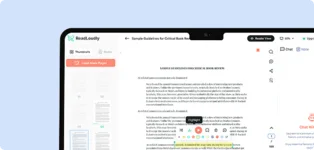
Share with Ease
Once you're done reading or listening you can easily share.
Multilingual AI Chat
Chat with PDFs, adjust voice, and translate to your language.
No Downloads Required
You don't need to download any software or plugins to use.
Similar Readers
Looking for alternatives? Check out these tools to suit your needs.
Convert PDF to Online Flipbook
Convert PDF to Online Flipbook
Read Aloud Scanned PDFs
Read Aloud Scanned PDFs
Read PDF Files Online
Read PDF Files Online
RTF File Reader Online
RTF File Reader Online
Read HTML Files Online
Read HTML Files Online
ODT File Reader Online
ODT File Reader Online
DOCX File Reader Online
DOCX File Reader Online
Compress PDF Files Online
Compress PDF Files Online
Our Progress
We’re redefining how you interact with PDFs — with audio playback, smart chat, and powerful tools that make reading effortless and engaging.
14K+
Total users
1M+
Document uploads
1,276K+
Visitors
1M+
Lines read / month
Frequently Asked Questions
Listening to your eBooks hands-free is simple with ReadLoudly.
Readloudly is a versatile online platform designed for reading and listening to a wide range of content, including PDFs, flipbooks, ebooks, and text-to-speech materials. Users can access the platform as guests or by logging in with their email, where they can enjoy a personalized experience tailored to their preferences.
Users can access their accounts on Readloudly either as guests or by logging in with their email, including Gmail login. Once logged in, users can access their personalized dashboard, where they can store books, manage preferences, and access exclusive features.
Yes, users can easily share books with friends via email by utilizing the built-in sharing feature on Readloudly. Simply enter the recipient's email address, and they will receive access to the shared book.
Absolutely! Readloudly offers a plethora of customization options, including changing the language while listening, selecting from over 50 different voices, adjusting playback speed, enabling dark mode, zooming in and out while reading, and setting preferences for text highlight colors and dark mode.
Users can easily access their highlighted lines and bookmarks by navigating to the "Bookmark" tab on their dashboard. Here, they can view and manage all their bookmarked content for easy reference.
Site News and Updates
Stay updated with the latest features, improvements, and announcements for a better PDF reading experience.
December 26, 2025
-
💬 Global Real-Time Messaging System with Instant Seen & Sync
We’ve released a major enhancement to our global real-time messaging system, designed to deliver faster, more reliable, and fully synchronized communication. Logged-in users can now send and receive messages from anywhere across the platform with instant real-time seen status, accurate read receipts, and seamless cross-page synchronization. This upgrade improves message delivery speed, reduces latency, and ensures consistent conversations—making it ideal for real-time collaboration, in-app support, and continuous user engagement.
-
🧰 Advanced Tools & Online File Converters in Modal-Based UI
To enhance usability and performance, all online tools and file converters are now integrated into a modern modal-based user interface. This improvement allows users to access converters instantly without leaving their current page, resulting in faster workflows and a cleaner browsing experience. Our fast, secure, and accurate file conversion tools are optimized for productivity, responsiveness, and ease of use across desktop and mobile devices.
-
🎉 New Year Limited-Time Offer: 25% Discount on Premium Features
Kick off the New Year with our exclusive limited-time 25% discount on premium plans. This special New Year offer is valid until January 5th, 11:59 PM. Upgrade today to unlock premium features, faster processing speeds, advanced tools, and priority access—designed to maximize efficiency and deliver a superior digital experience. Take advantage of this limited-time deal and start the year with more power and productivity.
December 21, 2025
-
🎨 Major Dashboard Redesign: Smarter, Faster & More User-Friendly
We’re excited to introduce a completely redesigned ReadLoudly dashboard, built to make reading, managing files, and using tools easier than ever. The new layout feels cleaner, faster, and more intuitive, helping users find what they need quickly without distractions.
-
🧭 Smart Sidebar & Simple Navigation
The dashboard navigation has been improved for a smoother experience. The sidebar is now more flexible and organized, and the main menu supports sub-menus for better clarity. Users can easily switch between Features, Analytics, and Tools, keeping everything simple and easy to explore.
-
📚 Features Tab: Upload Books & Explore Products
The Features tab brings all core actions into one place. Users can upload books directly from the dashboard, view their recently uploaded books, and explore all available ReadLoudly products and file tools. This section also introduces a preview of our upcoming Community feature.
-
📊 Analytics Tab: See Your Reading Activity
The Analytics tab gives users a clear overview of their activity. Here, users can see their Total Docs, Bookmarks, AI Chats, Highlights, and Notes, along with usage distribution and the Most Popular Tools they use on ReadLoudly.
-
🛠️ Tools, Referral Earnings & Pricing
All ReadLoudly tools are now available in one dedicated Tools section for quick access. Users can also earn money through the referral program directly from the dashboard. Pricing plans and Pro Voices are clearly shown, making it easy to understand premium features and upgrade options.
-
🌐 Community Update: A More Robust & Social Experience
Our Community section has been redesigned to feel more social, personal, and engaging. The new interface introduces a friendship-based UI with smooth messaging, making it easier to connect and interact with others.
Users can now explore posts through the For You and Following tabs, helping them discover relevant discussions and stay updated with people they care about. This update makes the ReadLoudly community more focused, interactive, and user-friendly than ever.
Get started today & boost your productivity effortlessly